WorkLynk · Employee management system
Real-time work management for the whole shift
About
Real time work management tool
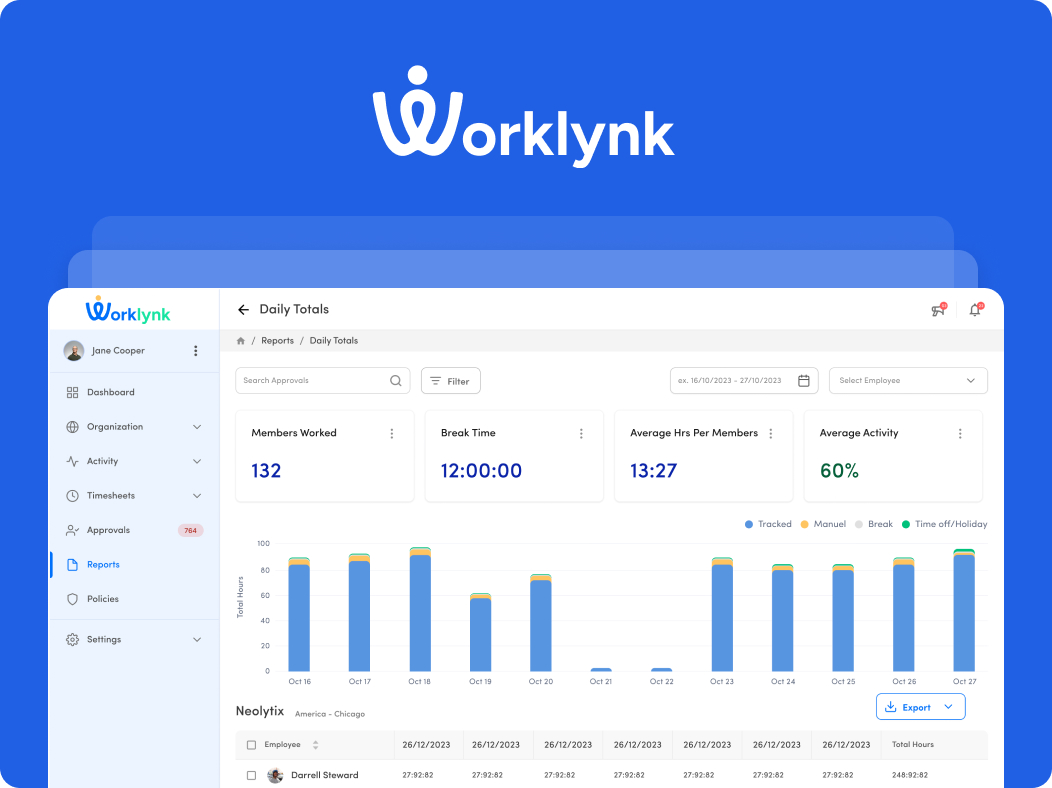
WorkLynk is an EMS that streamlines HR operations by managing shift schedules, timesheets, and employee performance. It features real-time approvals, suspicious activity tracking, and a centralized dashboard for insights on Schedule Adherence and Approvals. With a built-in playbook, audit log, and user-friendly interface, WorkLynk improves efficiency and boosts productivity.
Capabilities
Three things it does before anything else
Everything the product added later sits on top of these. A shift that is not recorded cannot be approved, and an activity that is not tracked cannot appear on a dashboard.
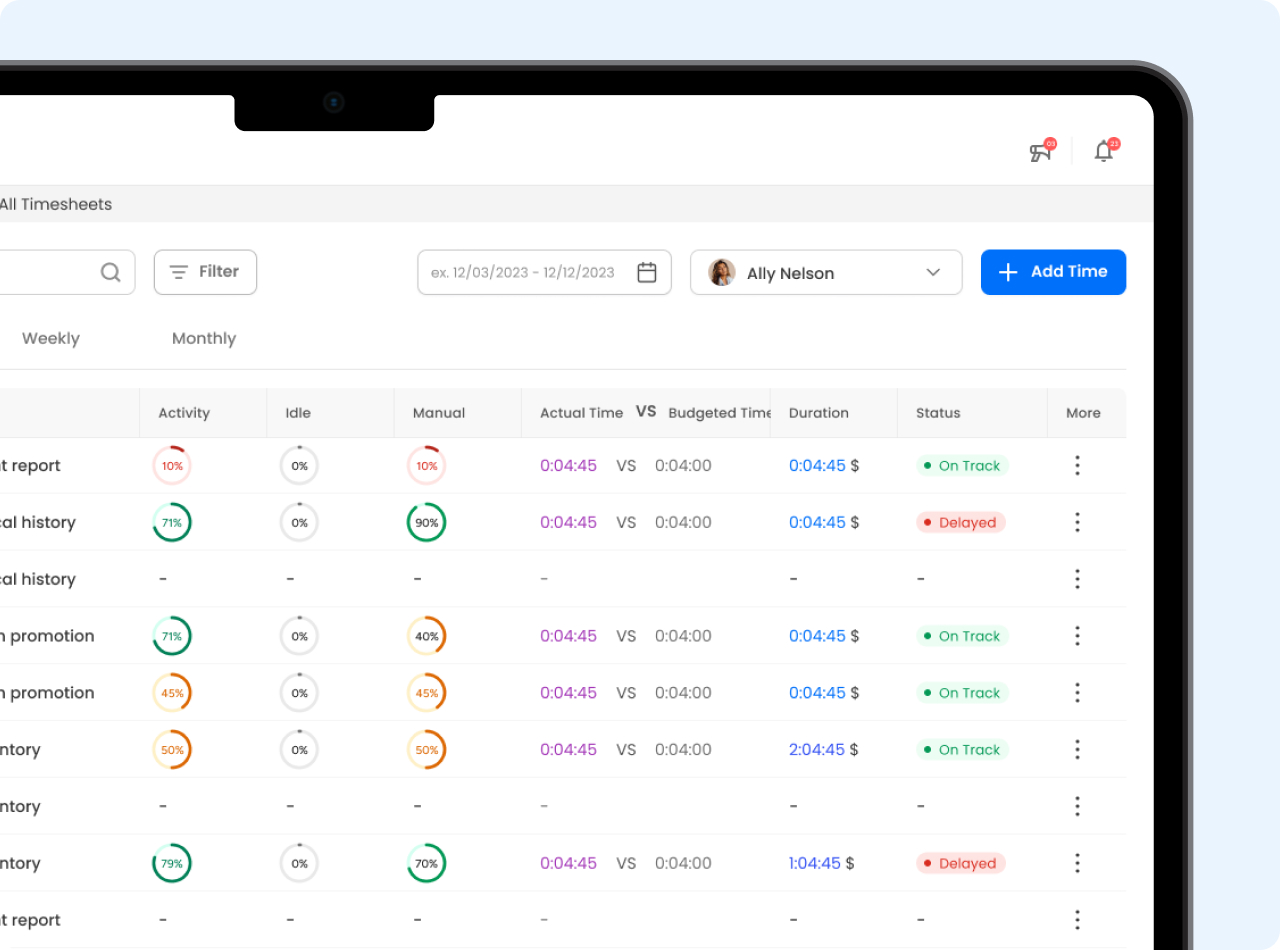
Timesheet management
Time logged per task against the time it was budgeted, with the gap visible while the work is still running rather than at the end of the month.
Centralized dashboard
Schedule adherence, approvals and performance in one place, so a manager is not opening three tools to answer one question.
Activity monitoring
Activity percentages and suspicious-activity flags across the organization, kept anonymous where the leaderboard shows them.
Problems and solutions
Three things EMS software kept getting wrong
Each problem below came out of the research on tools teams were already running, and each answer is the specific thing WorkLynk does instead.
Problems
- Many EMS software systems have complex scheduling tools that hinder efficient shift management, especially for businesses with dynamic needs.
- Traditional EMS platforms often have slow approval processes for time-off requests, causing delays and confusion in workforce management.
- Many systems lack effective tools to monitor employee performance and detect suspicious activities, hindering businesses from identifying inefficiencies.
Solutions
- WorkLynk provides flexible shift scheduling with easy modifications and real-time updates for efficient employee management.
- WorkLynk enables instant real-time approvals, allowing administrators to quickly manage requests and reduce wait times for smoother operations.
- WorkLynk’s centralized dashboard offers performance insights and Activity Monitoring, ensuring visibility into employee activities for improved productivity.
Design process
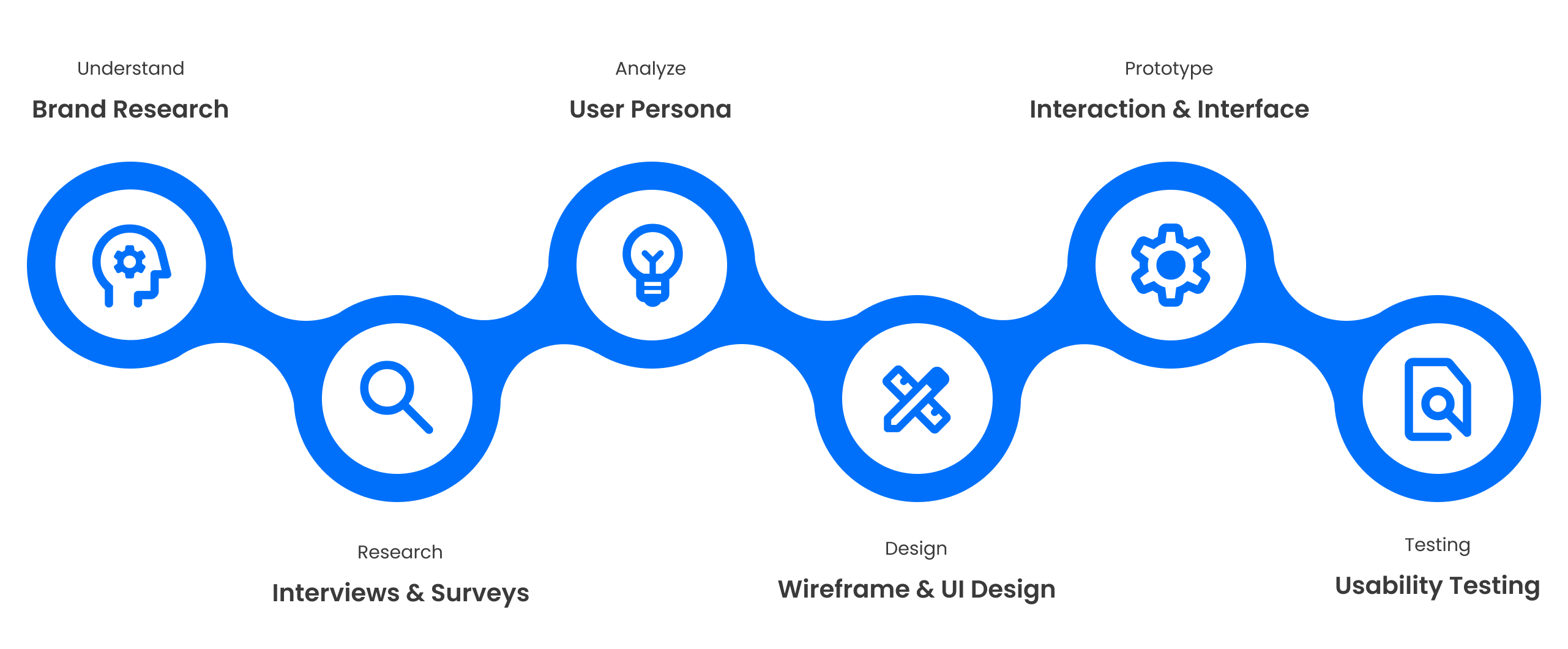
Six stages, understanding through to usability testing
Understand
Brand research
Research
Interviews & surveys
Analyze
User persona
Design
Wireframe & UI design
Prototype
Interaction & interface
Testing
Usability testing
User personas
Three roles, one shared view of time
These illustrative, role-based personas are shaped around the WorkLynk workflows and the roles you described. Each uses shared shift and time records to answer a different operational question.
01 · Team manager
Keep the shift on track
Coordinates a live team and needs to see planned hours beside actual attendance.
- Spot late starts and schedule gaps quickly.
- Review exceptions and approve time entries.
- Understand team activity without switching tools.
02 · HR administrator
Keep people records reliable
Maintains schedules, attendance, and employee records across teams.
- Coordinate shifts, leave, and coverage.
- Resolve missing or inconsistent time entries.
- Keep a clear history for reviews and reporting.
03 · Biller
Turn approved time into accurate totals
Checks billable hours by employee and task before payroll or client invoicing.
- Work from approved, traceable time records.
- Catch mismatches before they reach a bill.
- Export dependable totals for the next step.
Grid system
1440px, a 256px rail and twelve columns
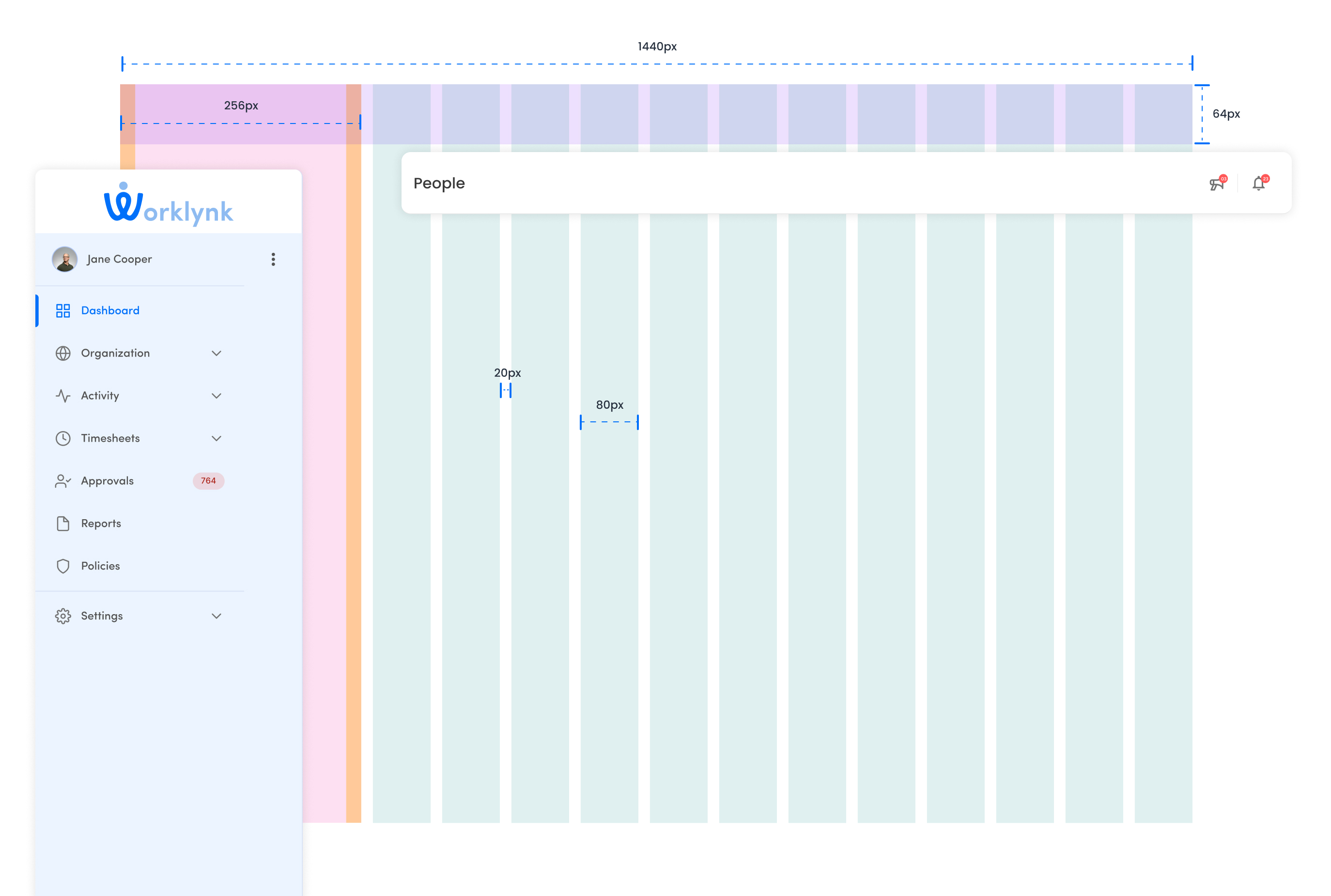
The rail is a fixed 256px rather than a column, because the columns have to keep their measure whether the rail is open or collapsed.
Dashboard
Real-time performance insights
I organized the dashboard so teams can scan current activity first, notice changes in performance over time, and then move into the supporting records. This overview-to-detail rhythm helps a manager find a shift issue without hunting across separate views.
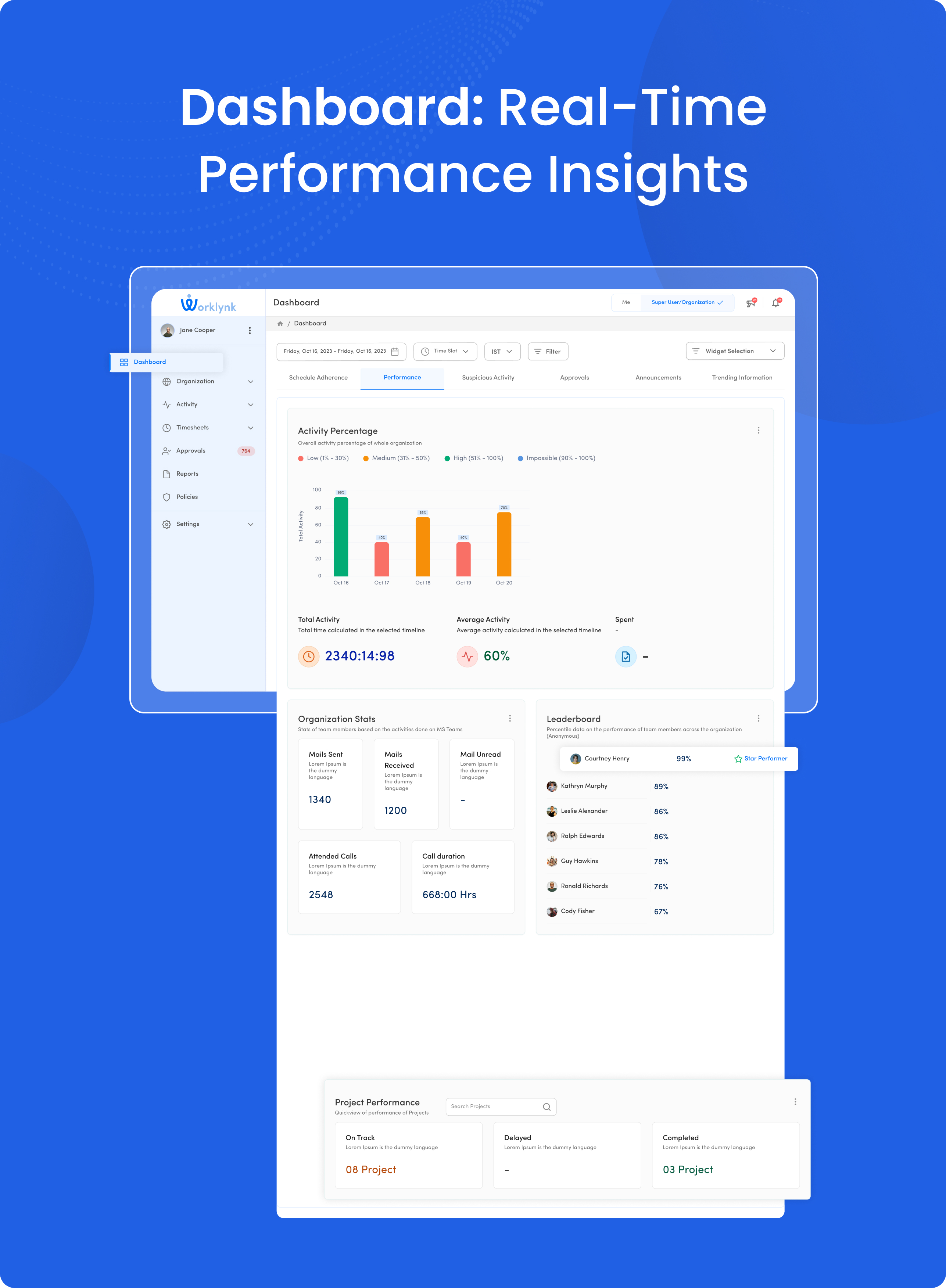
Headline metrics establish the current picture; charts and records provide the context needed to follow up.
Design system
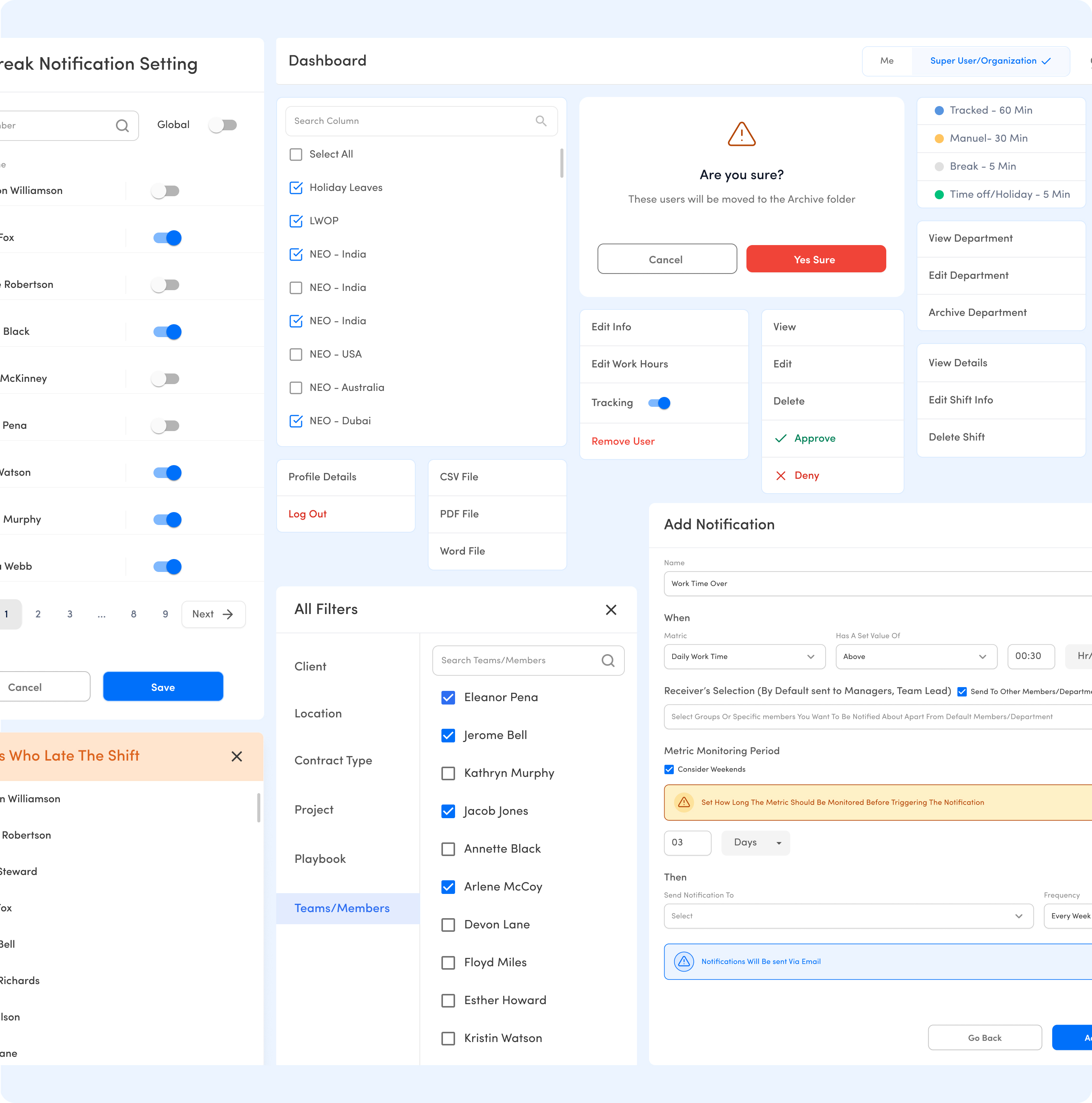
Shared patterns make dense work easier to scan
The product repeats navigation, tables, filters, status colors, and form controls across its workflows. Consistent spacing and type hierarchy help people carry what they learn from timesheets into approvals, reports, and settings, while familiar action states make the next step easier to find.
Product ecosystem
100+ screens across the employee lifecycle
Beyond the dashboard, WorkLynk brings schedules, timesheets, approvals, policies, reports, and settings into one connected system. Shared interface patterns help each workflow feel familiar as people move through the product.
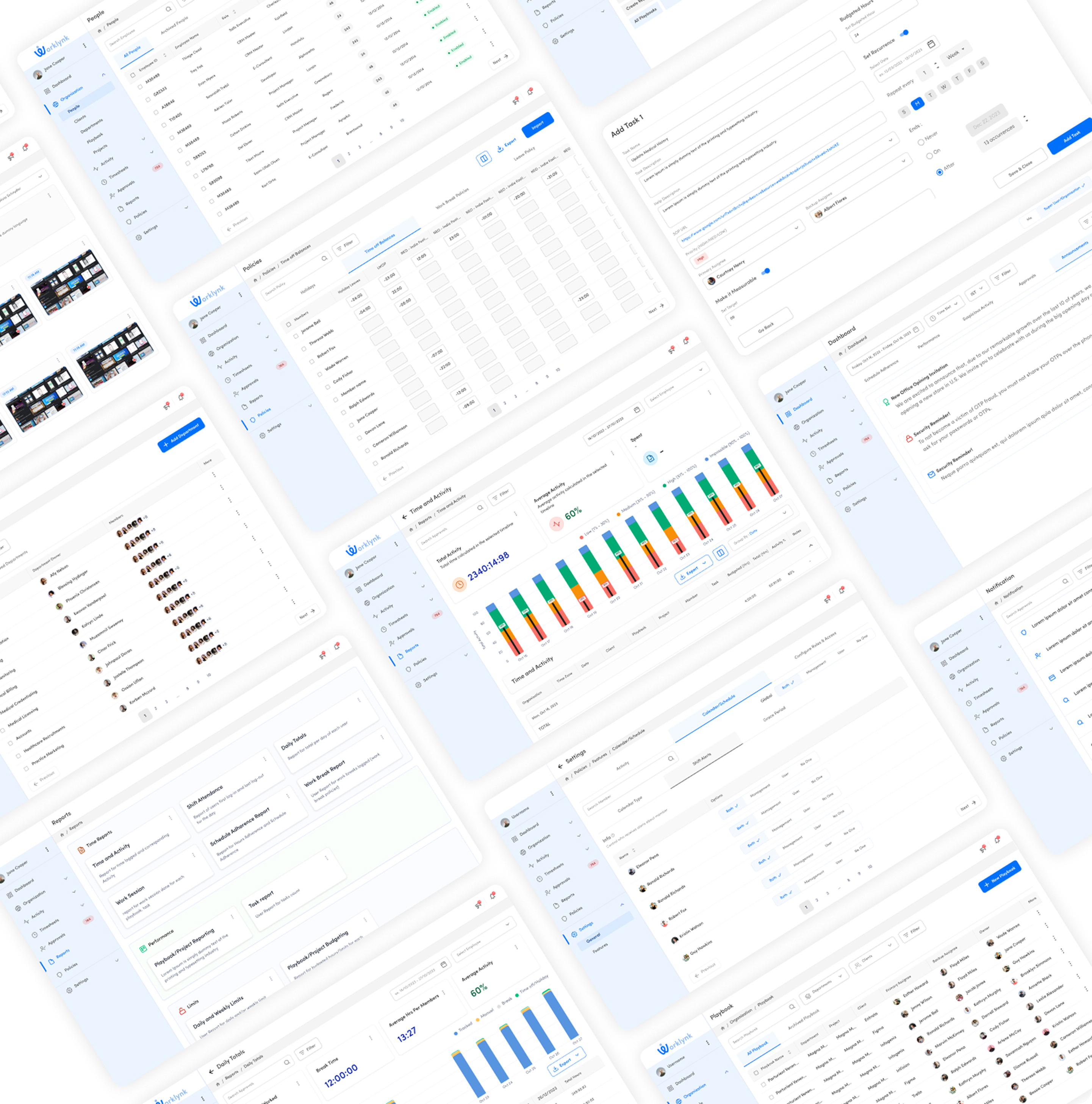
A view of the product breadth behind everyday workforce management.
Figma prototype
Explore the WorkLynk prototype
Interact with the WorkLynk prototype in the frame below.
Interactive WorkLynk prototype